Lately, I have been seeing a lot of people on Threads posting about using Linktree to build a link in bio page. What most people are saying is that Linktree does more bad for your business than good. So I decided to write a blog post about my own thoughts and findings on the topic.
If you are a service-based business owner and you already have a website, your link in bio tool choice matters more than you think. It impacts your branding, your SEO and how professional your business looks online.
In this post, we will look at what a link in bio page actually is, where it comes from and whether you should use Linktree or your own website to build one.
What is a link in bio?
First of all, let’s define what a link in bio page is.
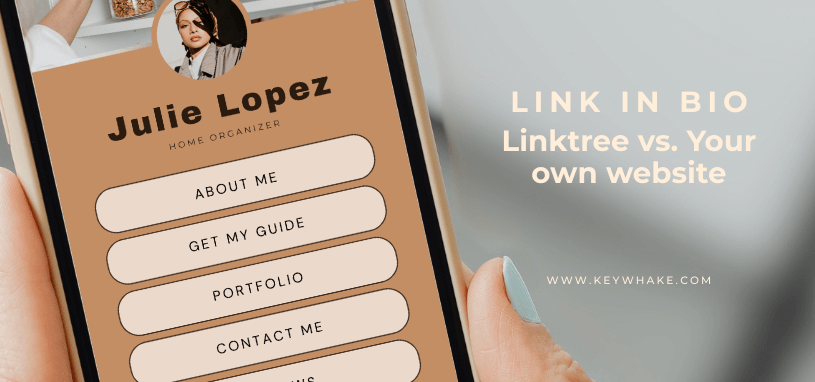
A link in bio page is basically a link to a web page that contains a mix of all the links you want people to visit. It is a blend between a landing page and a directory of your most important content.
This is where people find whatever you sent them to or what they are looking for regarding your business, such as:
- Free resources
- Contact information
- Your service page
- Blog posts
- Affiliate links
- Booking links
- And more.
For more technical people, it can be described as a stylized sitemap but only for pages that matter to your target audience and business goals.
Where do link in bio pages come from?
Link in bio pages originated from social media creators’ and managers’ need to send their followers and profile visitors to external content like websites and landing pages.
For a long time, on social media, especially on Instagram, Facebook and X we were only allowed to add one link to our profile. As you can imagine, having a single link for an entire audience is very limiting.
Marketing today is more tailored than ever. We rarely speak to just one audience but usually have a main audience with smaller segments inside it. As interactions with our brand grow, we move people through a sales funnel: from discovery to trust, and eventually to conversion.
For example, if someone discovers you for the first time on Instagram, they most likely won’t buy right away. Instead, you might offer them a free resource that they are more inclined to get. After consuming that free content, they may be ready for a low-ticket offer or to book a call. All this depends on your business’ client’s journey.
Your call to action in all those cases is usually the same: “link in bio”.
Since we could only have one link on social media profiles, Linktree founders, Alex and Anthony Zaccaria, along with their business partner Nick Humphreys created the first major link in bio tool in 2016. While managing their digital agency, they ran into the same problem: how do you promote multiple offers with one link?
This is likely a situation you have experienced yourself. One week you promote a service using “link in bio”, the next week a freebie, and two weeks later a new blog post but your call to action is still “link in bio”.
I couldn’t find any link in bio tools that existed before Linktree. If you do know of earlier ones and have trustworthy sources, I would love for you to send them so this post can be even more accurate.
How to build a link in bio page?
Link in bio pages are fairly simple pages. Building one shouldn’t take long unless you want something very specific and highly designed.
There are two main ways to build a link in bio page. Let’s look at them.
Using a link in bio tool
The first way to build a link page is to use a dedicated tool.
There are several tools that offer this feature, and many social media management platforms now include link in bio pages as part of their services. For this post, I will focus on Linktree, since it is the most popular and the main subject of this article.
According to Linktree’s own description: “Linktree is a tool to help you share everything you are, in one simple link – making your online content more discoverable, easier to manage and more likely to convert.”.
Linktree functions
Linktree has evolved a lot over the years and now offers many features, including:
- Custom page design (even in Canva)
- Contact collection
- Interactive feed
- Multiple links per instagram post
- Selling digital products
- Building and selling courses though Kajabi
In many ways, it is becoming closer to an all-in-one tool like Stan Store.
How Linktree positions itself
Indeed, Linktree positions itself as more than just a link in bio tool and even suggests it can replace a traditional website. This makes sense from a product perspective: the more complete the platform feels, the more people might want to rely on it as their main online presence.
However, a Linktree page is still hosted on a third-party platform and follows their structure. While it may feel easier to update than a website, it also means giving up control over SEO, user experience, and long-term visibility. For a growing service-based business, convenience should not replace strategy.
Linktree advantages and disadvantages
Like any tool, Linktree has pros and cons. Let’s go through the ones I have identified.
Advantages
- No technical knowledge required
- No website or domain needed
- Quick Setup
- Built specifically for link in bio use
- Templates available
- Easy payment setup
Disadvantages
- Requires a monthly or yearly subscription
- Free version is very limited
- Limited customization depending on plan
- Your traffic goes to Linktree first
- Your branding is secondary to theirs
Yes, Linktree can be used for free. However, like most freemium tools, you pay with limitations: their branding stays visible, customization is restricted, and analytics are basic.
One of the biggest criticisms is that Linktree can reduce website traffic. This is not entirely black and white, but it is true that your visitors land on Linktree before reaching your site, which means Linktree benefits from that traffic first.
Building the page directly on your website
Now, we come to the main debate: why use Linktree if you already have a website? Why not simply build a links page on your own website?
Having a links page increases website traffic
Now, we come to the main debate: why use Linktree if you already have a website? Why not simply build a links page on your own website?
Reduce tool clutter and dependency
We all want simpler systems. But very often, we add tools (and redundancy) instead of using what we already have in different ways.
Instead of asking “Which tool should I use?”, a better question is: “Can my website already do this?” or “Is there anything I already use that can fulfill this need?”.
In most cases, yes. A custom link in bio page on your website removes the need for yet another subscription and another system to maintain.
Save money
Although you can create a Linktree page for free, it is heavily limited. Most business owners will need to upgrade to a paid plan for more precise analytics. Subscriptions currently start around €54 per year for the lowest tier.
A links page on your website costs nothing extra unless you want additional plugins or functions which are not available for free. In most cases, you won’t really need these.
Full control over design, strategy and SEO
On Linktree, you work within their structure.
On your website, you control:
- Layout
- Fonts and colors
- SEO settings
- Tracking
- Internal linking
- Integrations & Custom code
You can also integrate your link in bio page into your overall strategy instead of treating it as a separate tool.
THE AUDIT KEY
With my free website audit, I’ll check your site’s performance then send you a personalized video showing:
- What’s already working
- What’s slowing your site down
- The 3 key improvements that will make the biggest difference
No guesswork. No wasted time. Just a clear, actionable list so you can get straight to what matters.
Which solution is best for you?
After reviewing the advantages and disadvantages of Linktree versus a link in bio page on your website, the best solution depends on your business stage.
→ If you do not yet have a website, a tool like Linktree can be a practical temporary solution. It allows you to share multiple links from one place without needing to build anything.
→ However, if you already have a website and your business has grown beyond the DIY phase, using your own links page is usually the more strategic choice. It keeps your traffic on your domain, supports your SEO, and reinforces your brand instead of sending visitors to a third-party platform.
Especially for service-based business owners, your website should be your main hub. Your link in bio should support that role, not compete with it.
THE AUDIT KEY
There are lots of tools you can use to check speed yourself… but interpreting them can be confusing and time-consuming. Through my free website audit, I will:
- Run all the tests for you
- Interpret the results
- Give a short, clear list of the 3 key improvements your site needs
No guessing, no wasted time. Just a clear path to a faster, more reliable website.
Final thoughts on choosing the right tool for your links page
Linktree is not a bad tool. It solves a real problem and can be useful at certain stages of a business. If you do not yet have a website, it offers a quick and simple way to create a link in bio page and start directing people to your content.
However, once your business grows and your website becomes an important part of your brand and strategy, relying on a third-party link in bio tool becomes less ideal. Sending traffic to Linktree instead of directly to your own domain means giving away part of your visibility, your branding power, and your data.
For service-based business owners, especially those who are past the DIY phase, your website should act as your main hub. Your social media presence should support that hub, not replace it. Your link in bio page is not just a list of links. It is part of your user journey, your marketing strategy, and your brand experience.
Choosing where to build your link in bio page is therefore not just a technical decision. It is a strategic one. And like most strategic decisions in business, the best option is the one that supports your long-term goals instead of short-term convenience.
THE AUDIT KEY
Want to improve your website?
I’ll review your site, interpret the results, and give you a clear list of the 3 biggest improvements your website needs. Because your website should do more than look good. It should perform like your best 24/7 employee.